Android · Setup & help
How to change your Android ringtone to a song
To use a song as your Android ringtone, save a playable audio file on the phone and select it in the ringtone settings. On Samsung use Ringtone → Add; on Pixel open Phone ringtone. A streaming-app download is not the same as a selectable song file.
Change the sound already on your phone
Open the phone’s Settings and find its ringtone selector. On Pixel, go to Sound & vibration → Phone ringtone; on Samsung, go to Sounds and vibration → Ringtone. Choose a sound and complete the picker’s Save, Done or Back step. Other Android brands may use a different label; search Settings for “ringtone” if needed.
Set a song instead of a built-in sound
- Save an audio file you can use on the phone, such as your own recording or an unprotected song file.
- Play it in a file manager to confirm it is downloaded and audible.
- If you want a chorus or particular phrase, trim that section before selecting it. A full song may begin with an intro you do not want.
- Use the phone’s add-file option or the Files by Google method below, then test an incoming call.
A downloaded Spotify playlist or YouTube offline video remains inside that service’s playback system. It is not an MP3 you can select here. See streaming music and ringtone sources for alternatives.
Choose the right route
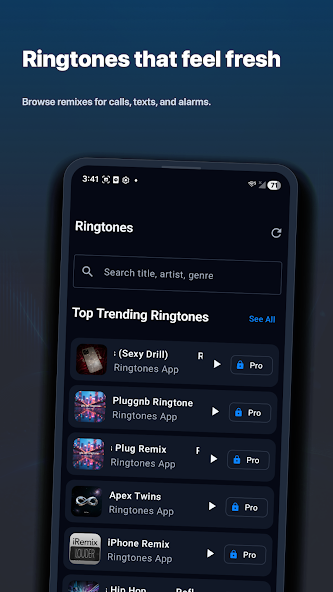
If you already have a ringtone file, you may not need another app. Samsung provides an Add control in its ringtone picker; Pixel offers a personal-sounds selection. Ringy is an optional place to discover sounds or make a tone before that setup.
If you are coming from a Ringy share page, keep its exact title. Open Ringy on Android and find that title. Do not assume a web link opened the exact sound: supported Android app versions may instead leave you at the store or the app’s home screen.
Use a local file
Download or export the permitted audio to a stable place on the phone. Check that it plays before changing system settings. A cloud placeholder or a song available only inside a streaming app may not be a selectable audio file. Avoid moving or deleting the original until you have tested the ringtone.
An alternative with Files by Google
In Files by Google, find the item under Audio, play it, open its More menu and choose Set as ringtone. If prompted, allow that app to modify system settings. Grant the permission only to the app you are deliberately using to perform this change.
Test the result
Make a normal phone call to your device. A contact-specific choice can override the general ringtone. Calls in WhatsApp or another calling app can use that app’s own settings. An alarm and a text-message alert also need their own sound selections.
Related guides
- How to change your Samsung ringtone to a song
- Set your own ringtone on Google Pixel
- Change notification sounds on Android, Samsung and Pixel
- Free ringtones for iPhone and Android: what are your options?
Sources & compatibility
Documentation and product records reviewed October 18, 2026. These instructions have not been physically tested on every supported phone in this review.
- Google: Set an audio file as your ringtone
- Google: Change your volume and ringtone settings
- Samsung: Set a ringtone on your Galaxy phone
- Ringy’s Android Google Play listing
Ringy publishes this guide about its own app and phone setup. Menus can vary by device, OS version and region. For a correction, email help@rin.gy.